 MindraNotes
Write it down. It is already saved.
MindraNotes is a calm place for notes, lists, tasks and projects, and for the life around them: RealMode for your moments, Together for the two of you, Circles for the people you care about.
No card and no company. A name, an email and a password.
Simple on the surface. Careful underneath.
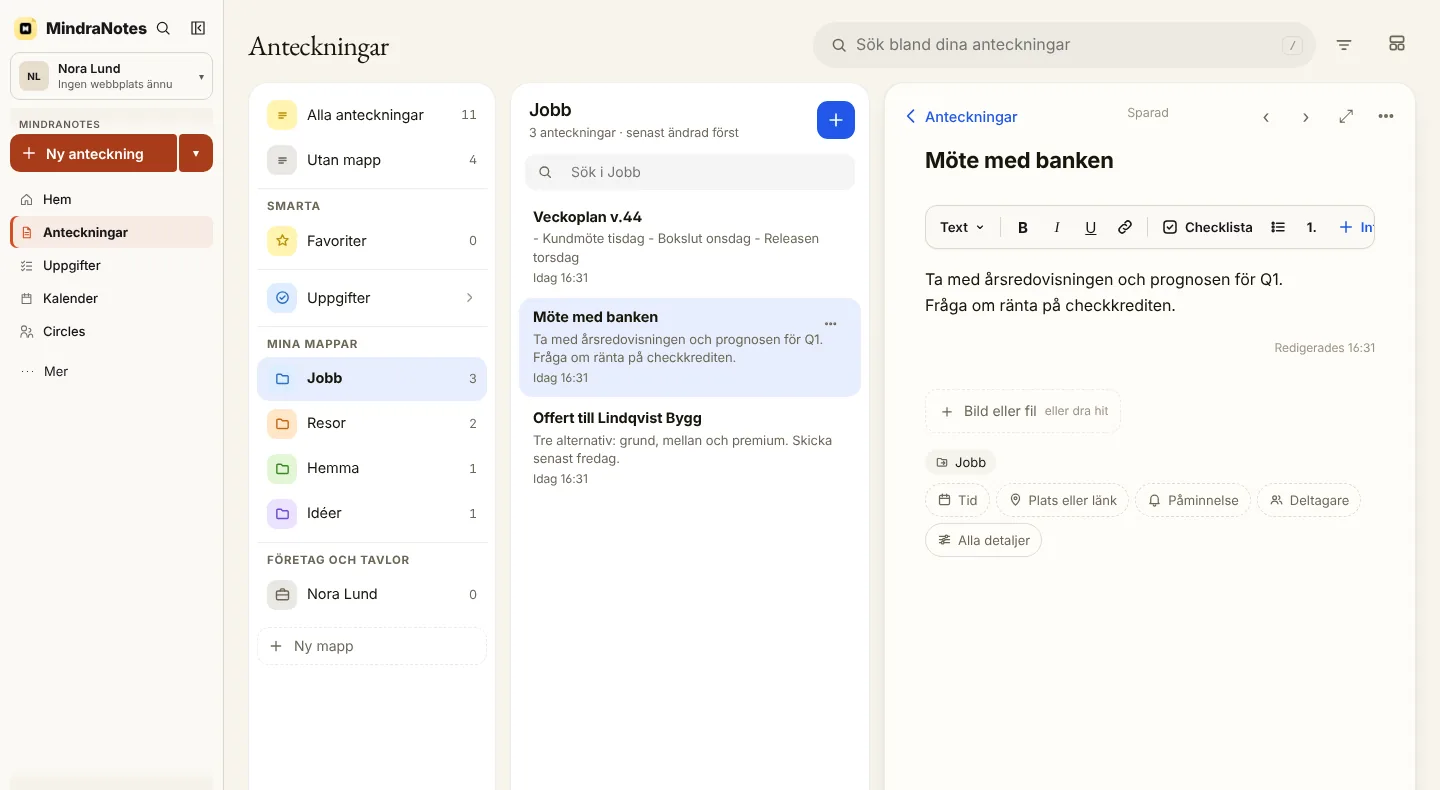
MindraNotes opens on Home. There is no view to choose and nothing to set up before you write.
Saved before it is sorted
A thought lands the moment you write it: text, a voice memo, a photo or a drawing. Suggestions come afterwards, one at a time, and you can always undo them.
Lists written in the text
Type [] or – [ ] for a checkbox, – for a bullet, 1. for a numbered line. Enter continues the list. There is no type to choose first.
Tasks and calendar
Overdue, today, tomorrow, this week and later. A date you type is set for you only when it is explicit, shown as a chip and easy to undo. Reminders follow your own time zone.
A real document
Headings, bold, quotes, dividers, tables, images in the text and code blocks. Paste markdown and it stays exactly as you wrote it; export gives identical text back.
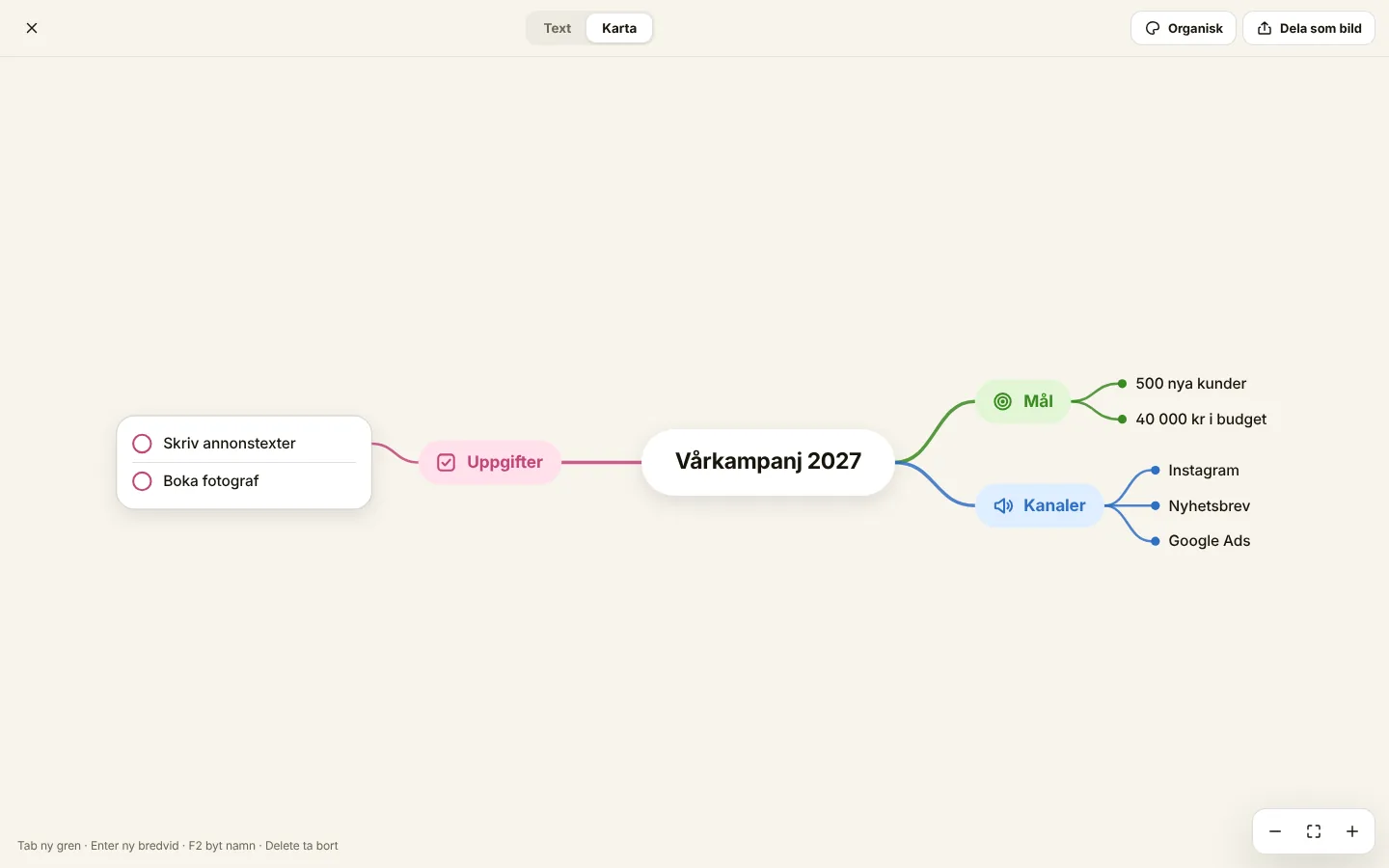
A note as a mind map
The title is the centre and your headings and points are the branches. Drag a branch, switch between four looks, share it as a picture.
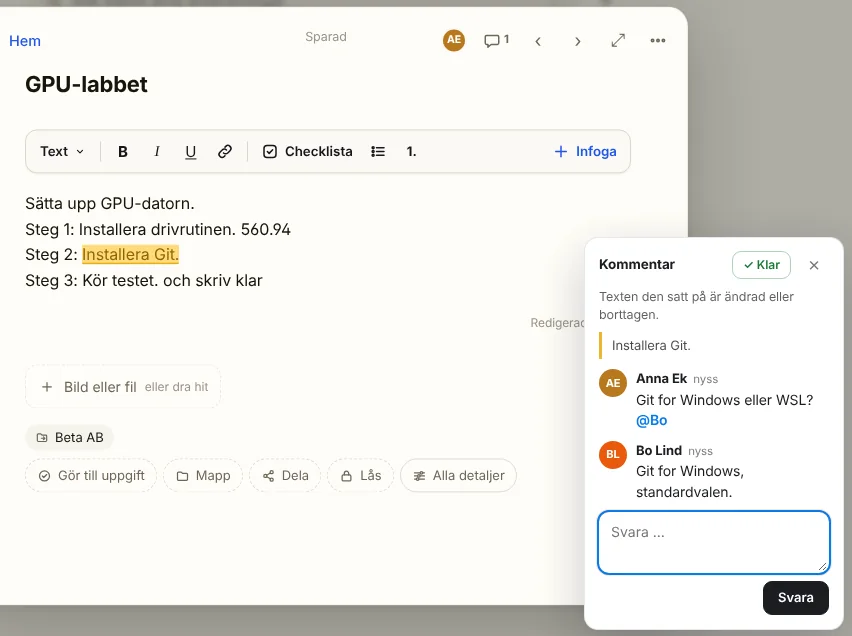
Live together, with comments
Several people in the same note see each other’s cursors and text as it is written. Comment on a selected passage and mark the thread done.
Share exactly what you choose
Invite people to one folder or one note as viewers or editors. A shared list can be ticked off through its link only if you allowed it.
Works without a network
Install MindraNotes from the browser on your phone or computer. Without a connection you read what you had, and new notes wait until you are back online.
Keys stay hidden
Anything that looks like an API key shows as ••••1a2b on Home, in search and on shared pages, and stays masked in the editor until you tap Show.
The same note, as a map.
Open a note as a map and its headings become branches and its checkboxes a card with tasks. Change the map and the note changes with it.
- Four looks: Organic, Cards, Night and Pen
- Share as a picture, made in your browser
- Fill in is a button marked AI, and runs only when you press it
Write together. Nobody overwrites anybody.
See who is in the note, follow their text as it is written and comment on the exact words you mean.
- Invite by email, as viewer or editor, to one folder or note
- New to MindraNotes? The invitation takes them in with a name, an email and a password
- Share links with a password and your own expiry, in Pro
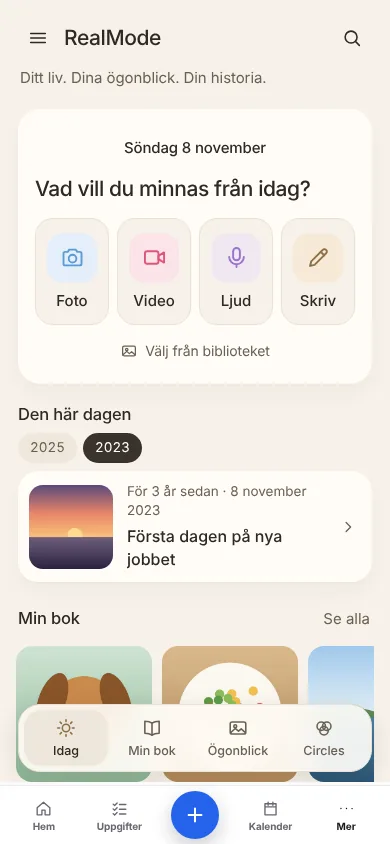
Your life. Your moments. Your story.
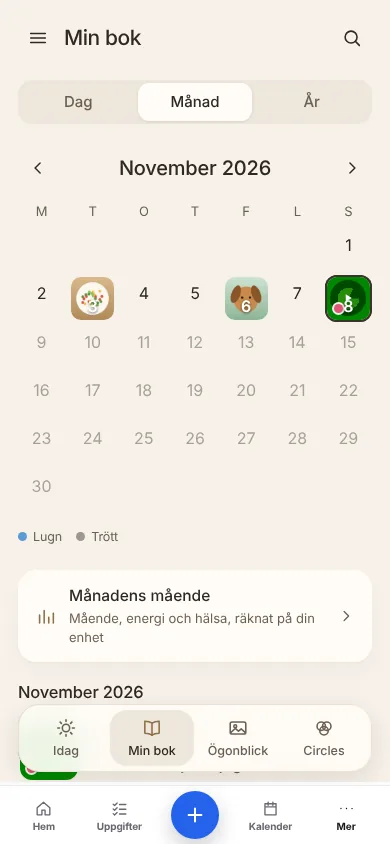
Today is one question and four buttons: Photo, Video, Audio, Write. Each day becomes a page in My book, and On this day brings back the same date in earlier years.
- Encrypted in your browser before anything is saved. AI is off.
- RealMode Camera: one take, without cuts or filters
- Share one memory privately, one link per person, and turn it off for real
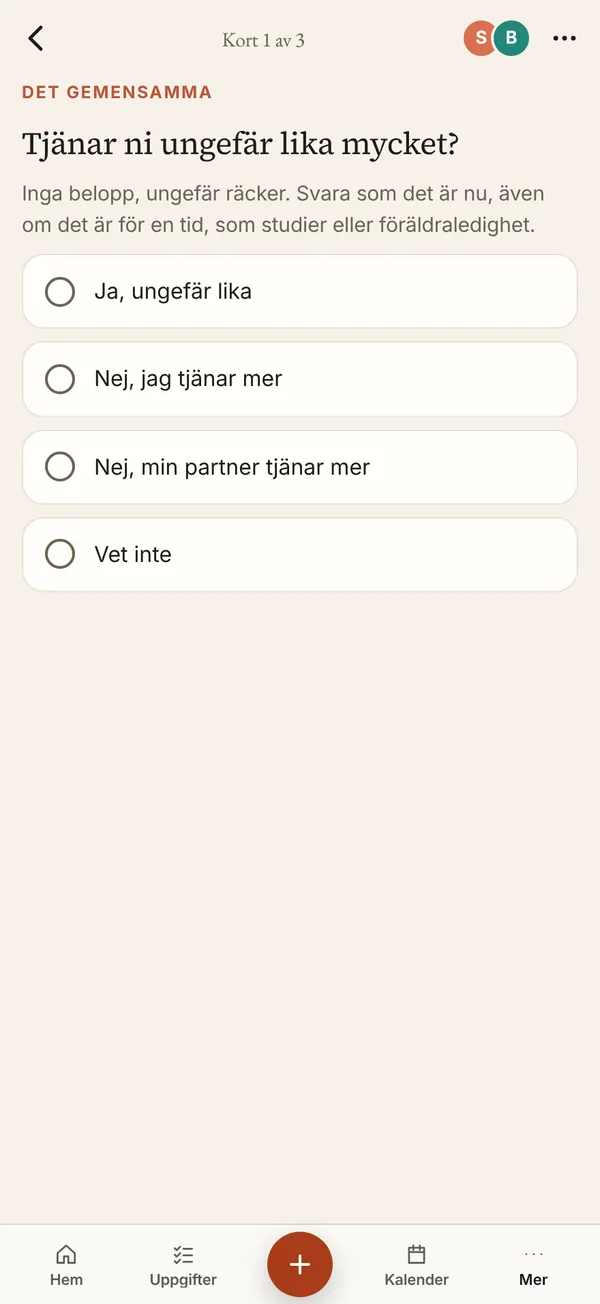
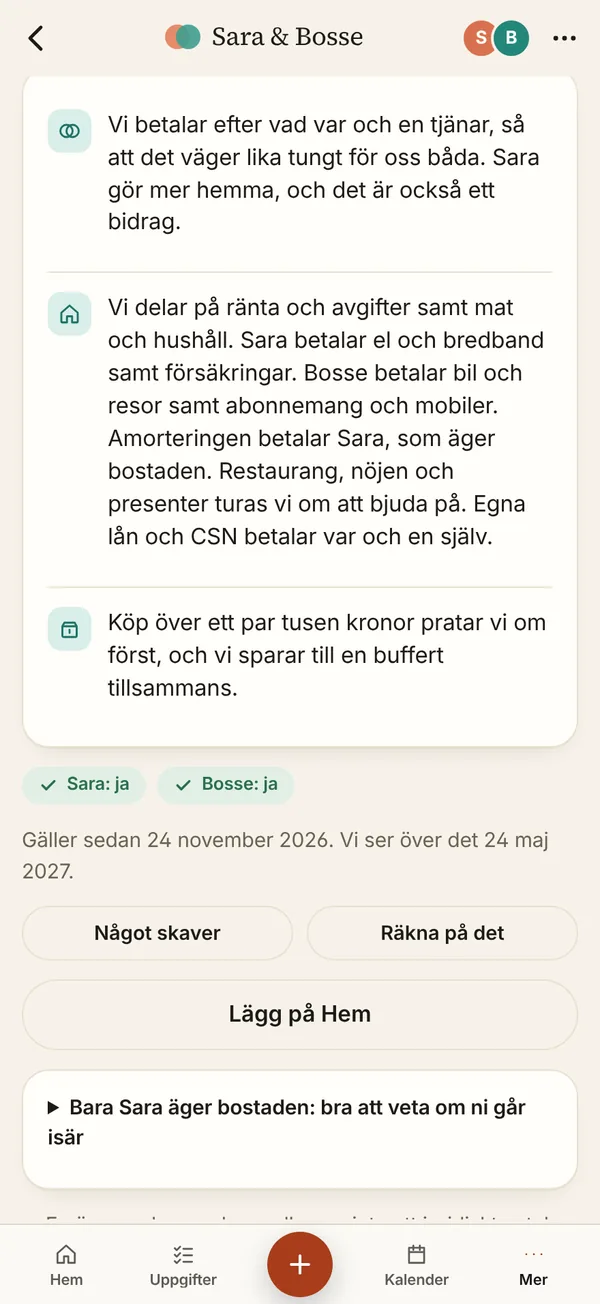
Money and everyday life for two, without a fight.
Three short cards you each answer on your own phone: how you want to share, who pays what, and what you do with your own money and saving. You see each other’s answer once you have both answered.
- No amounts, unless you want to count on it
- Our way: three sentences you both say “Yes, that’s how we do it” to
- Two questions just for you that are never shown to the other or to AI
Add what you need. Remove what you don’t.
The apps live under More → Apps. Removing one hides it and deletes nothing. The life apps are on no board and in no company: only you, or only the two of you.
RealMode
Pictures, films, sound and a few lines, a page for each day in My book. Encrypted in your browser before it is saved.
FreeRead more →Mindra Together
Three short cards you each answer on your own phone, ending in Our way: three sentences you both say yes to.
FreeRead more →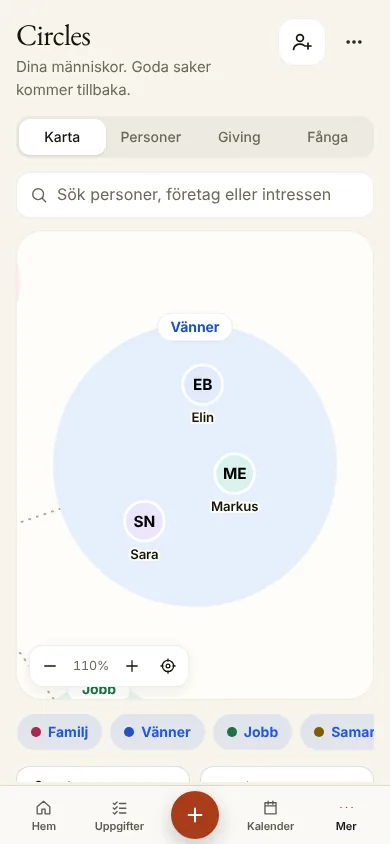
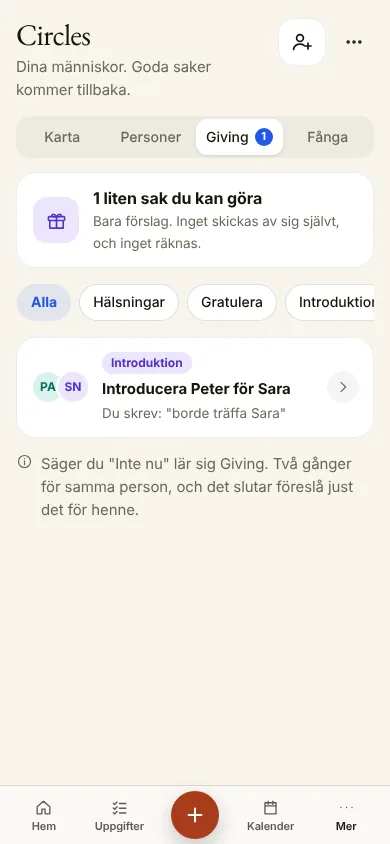
Circles
A map with you in the middle. Import from your phone book, Google or Microsoft. Giving reminds you of someone on your mind. Nothing rates a relationship and nothing is sent from here.
FreeSee how it works →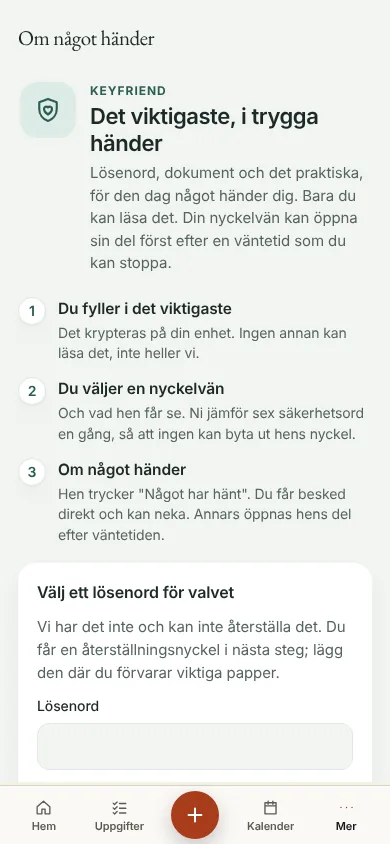
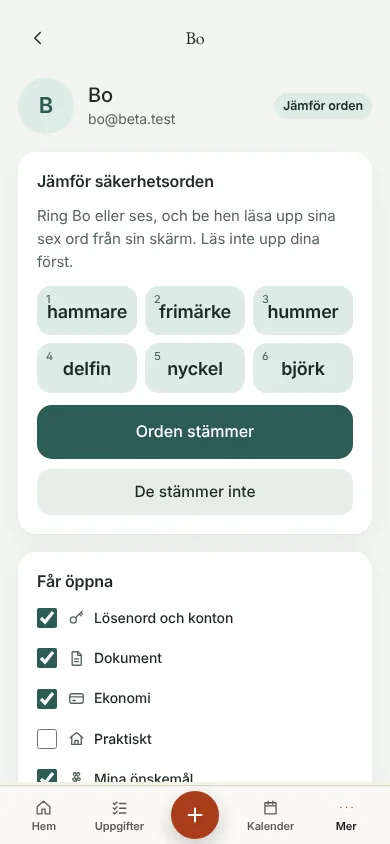
KeyFriend
An encrypted vault for passwords, papers and wishes. A KeyFriend is confirmed with six safety words and can open their part only after your waiting time, and only if you do not say no.
FreeSee how it works →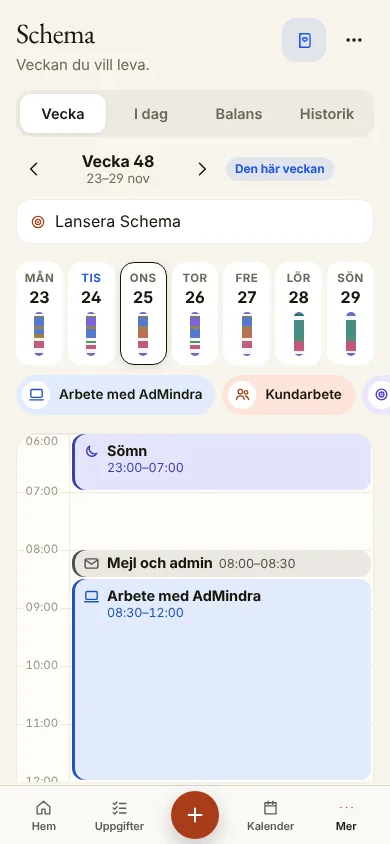
Schedule
Work, client work, personal time and sleep as blocks on your week. A base week makes every new week ready, and every week is kept as history.
FreeSee how it works →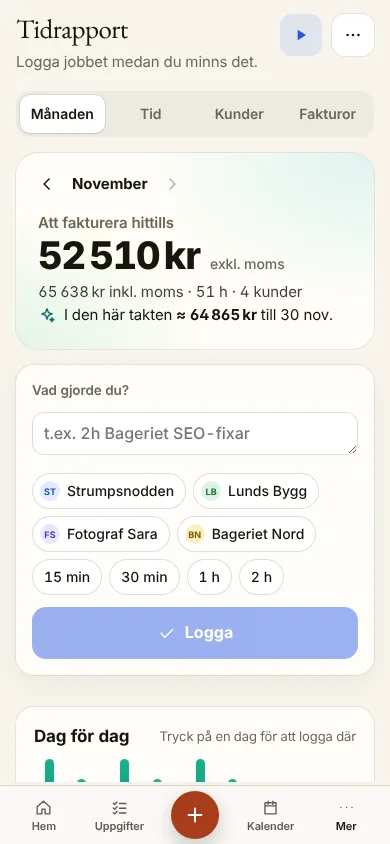
Timesheet
Write one line after the work, "2h Acme SEO", and the app understands the time, the client and the day. At month end each client gets a statement you send yourself.
FreeSee how it works →Calendar sync
Your deadlines and meetings in Google, Apple or Outlook Calendar, kept up to date by your calendar on its own.
ProE-mail to the board
The board gets an address of its own. Forward an e-mail and it becomes a note, with the attachments.
ProSend large files
Up to 2 GB per sending, with a link that is deleted after 1–7 days. The recipient needs no account.
Add-on · SEK 49 · €5 · $5/monthThe people in your life, and who knows whom.
Your own network: the people you care about, the circles you want to tend and a few suggestions of something to give. Nothing rates a relationship, and nothing is sent from here.
- A map with you in the middle, and family, friends and work as circles around you
- Import from your phone book, Google or Microsoft
- Giving: one small thing you could do for someone on your mind. Only suggestions, nothing is sent and nothing is counted
- Only you. Circles lives on you, on no board and in no company
What matters, for the people you trust, if something happens to you.
Passwords, papers and the practical things in one encrypted vault, for the day something happens. The people you choose may then open their part, only after your waiting time and only if you do not say no.
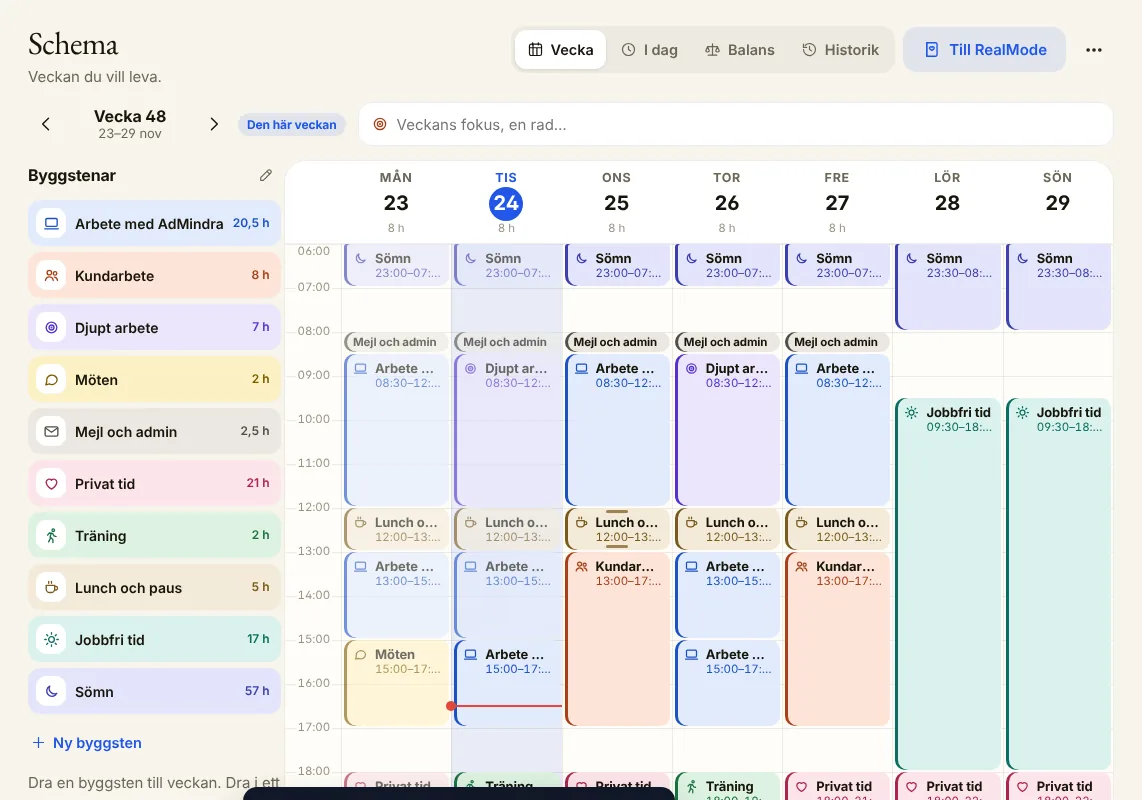
The week you mean to live, in blocks you drag out.
Lay out your own week with blocks like Work, Client work, Personal time and Sleep. A base week makes every new week ready at once, and every week is kept as history.
- Drag out, move and resize blocks right in the week
- Now and next, on Home and in Today
- Balance against goals you set yourself
- Send the week to RealMode, encrypted, with a note
- Only you see your schedule. It is on no board and never shared
Log the work as you go. Invoice at month end.
Write one line after the work, “2h Acme SEO”, and the app understands the time, the client and the day. The month adds up while you work.
- Five seconds to log time and client, or use a note’s timer
- A running total per client all month, with a forecast
- Rate, VAT, rounding and agreements per client
- A statement per client to copy, print or email yourself, and what has been paid
Only you see your times, clients and prices. Nothing is sent to a client unless you send it.
Private things stay private.
Ordinary notes are stored on our server so they are on all your devices. What is yours alone is encrypted in your browser, with a key we never have.
Encrypted where it matters
RealMode and KeyFriend are encrypted in your browser on every plan. With Pro you can also lock a note with a PIN or Face ID, or keep a folder encrypted: the server then stores only ciphertext, files and drawings included.
AI only where you press
Sorting, dates, the overview and the calendar are rules, not AI. Three buttons are marked AI: From a meeting, Read the text in the image and the mind map’s Fill in. Free includes 300 runs a month.
Nothing lost to a tap
A locked note is never deleted and keeps its history. In RealMode and KeyFriend every save keeps the earlier version, and the trash never empties itself.
MindraNotes in Claude, ChatGPT and other MCP apps.
Add MindraNotes as a connector and your assistant can list, read and write your notes and tasks as you. Free, like MindraNotes.
- You approve it with your own sign-in, and remove it under Settings → Connected apps
- Never a locked or encrypted note, and keys stay masked
- Never RealMode, Circles or KeyFriend
Free to use. Pro when you want more room.
Free
For as long as you like
- Notes, folders, lists, tasks and calendar
- Drawing, code blocks, mind map and live editing
- Sharing with the people you choose
- RealMode, Together, Circles, KeyFriend, Schedule and Timesheet
- 300 AI runs a month for the three AI buttons
- 100 MB for files and images. Notes themselves are unlimited
MindraNotes Pro
Excl. VAT. Bought inside MindraNotes, cancel when you like.
- 5 GB for files and images, files up to 100 MB
- Note history — put any note back as it was, 90 days back
- Calendar sync — deadlines and meetings in Google, Apple or Outlook Calendar
- Locked notes — PIN or Face ID, or encrypted so only you can read them
- Share links with a password and your own expiry
- E-mail reminders before a deadline or a meeting
- Recurring notes — daily, weekly or monthly
- Rules — when a note lands in a project, is done or gets a tag, assign it, tag it or move it
- Every board template, and your own boards saved as templates
- E-mail to the board — forward a mail and it becomes a note
- Print the board or save it as a PDF
Pro is included in every paid AdMindra plan.
Worth answering.
Is MindraNotes really free?
Yes, without a card. Free has 100 MB for files and 300 runs a month for the three AI buttons. Everything else, like sorting a thought, the overview and the calendar, is done without AI and is not counted. Pro costs SEK 59 · €6 · $6 a month excl. VAT.
Do I need a company or a website?
No. A name, an email and a password, and you land in MindraNotes. MindraNotes is made by AdMindra and uses the same account, so you can add a company later if you ever want the rest of AdMindra.
Does it work on iPhone and Android?
Yes. Install it from the browser: on an iPhone with Safari, Share → Add to Home Screen; on Android and on a computer with the browser’s own install button, or Install the app under More. The same account and the same notes everywhere.
Can you read my notes?
Ordinary notes are stored on our server so that they sync between your devices. RealMode and KeyFriend, and an encrypted folder in Pro, are encrypted in your browser before they are saved, and we cannot read them. If you forget both the password and the recovery key, nobody can open them, not even us.
Does MindraNotes use AI on my notes?
Only where you press. From a meeting turns a recording into notes and tasks, Read the text in the image reads a photo, and Fill in grows a mind map. Nothing runs behind your back, and RealMode, KeyFriend and Together’s safety questions are never read by AI.
Does it work offline?
Yes, in the installed app and the browser. You read what you had, and a new note or an edit waits and is saved when you are back online. A locked note’s text is never stored on the device.
Start with one note. Invite someone when it becomes shared.
Free to start, on your phone and your computer.